New · Connect ChatGPT and Claude
Ask your usual AI about your sales.
Connect Tenook, and the AI analyzes
the sales, costs, and fees you’ve recorded
and answers your questions.
Read-only · Disconnect any time · No extra charge
What you can ask
Let the AI line up the numbers.
Just ask in everyday words. It answers from the sales you’ve recorded in Tenook.
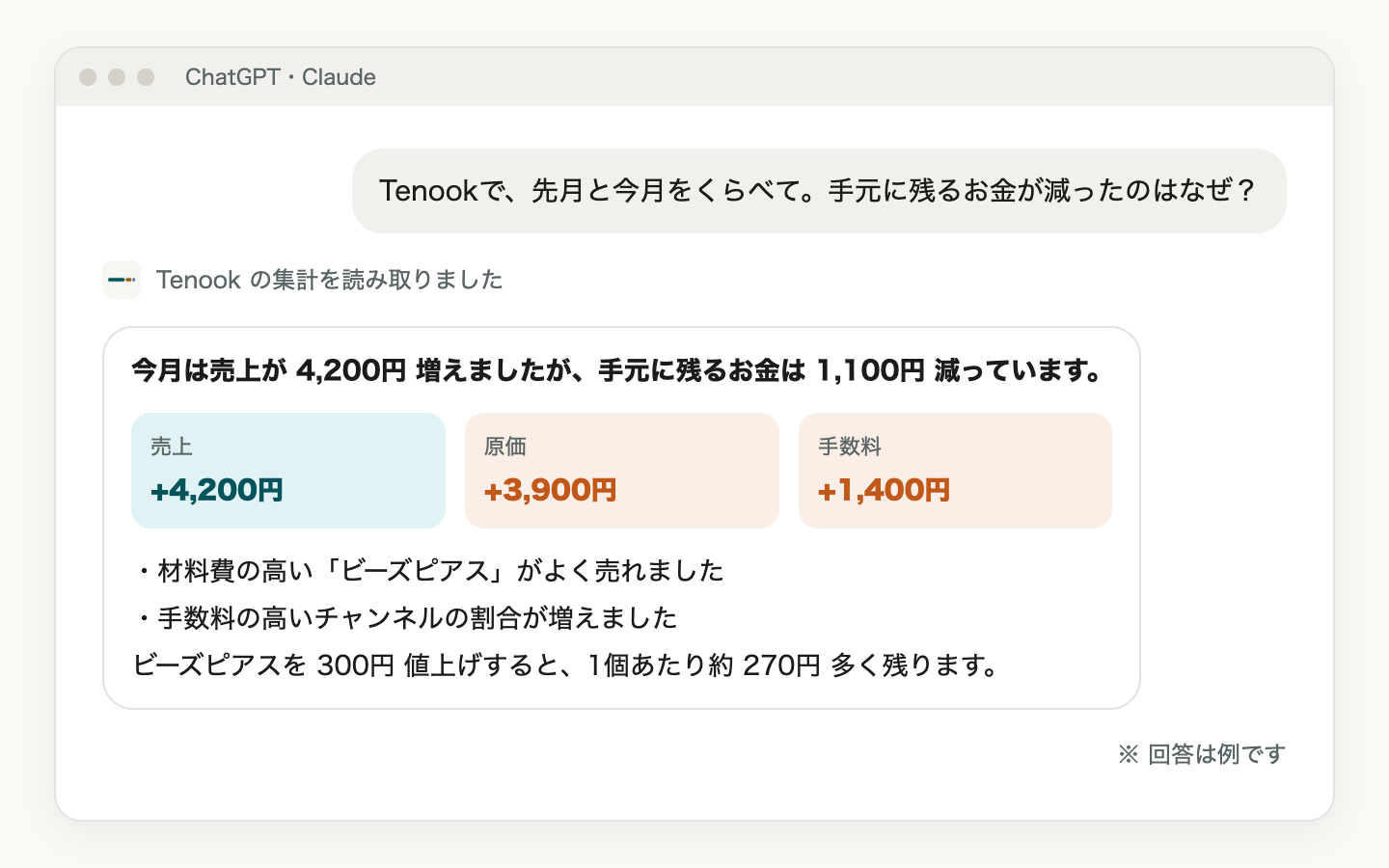
「Why am I keeping less than last month?」
It compares sales, cost, and fees month by month and shows you where the difference came from.
「Which items sell for less but leave me more?」
It lines up each item’s sales next to what’s left after cost and fees.
「Compare how I sell and what I pay in fees by channel」
It sums up sales and fees for each channel, such as Etsy, Shopify, and in-person sales.
「If I raise this recipe’s price by $3, how much would I keep per item?」
It estimates from the recipe’s current price and cost (a rough guide that assumes you sell the same number).
How it works
Tenook does the math. The AI helps you think.
The AI answers using numbers that Tenook totals the same way the app does.
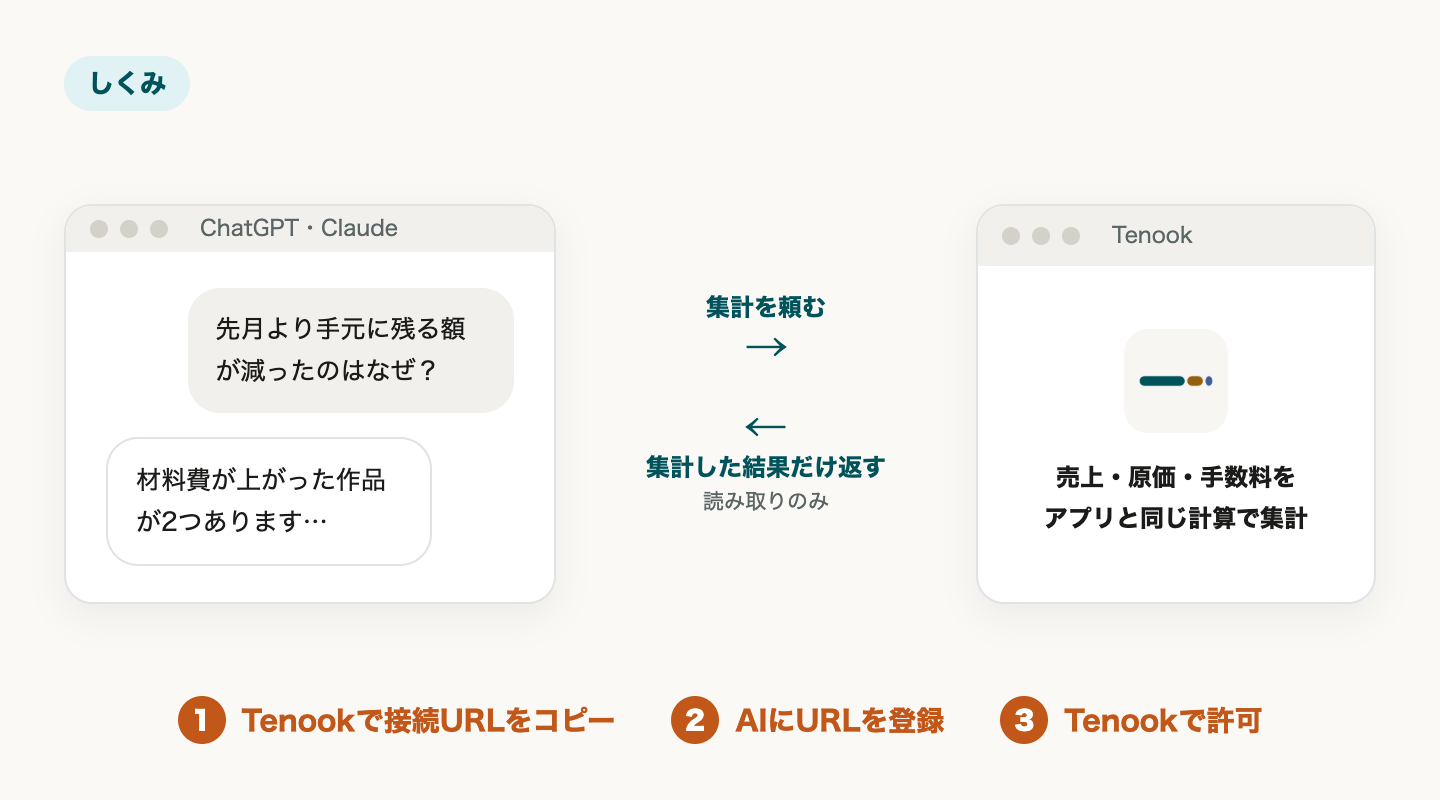
The same numbers as the app
Tenook does the math the same way the app does and hands the AI only the results. Totals use the selling price, cost, and fees as they were when you recorded each sale, so they match your Sales tab.
The AI only reads
The AI can’t add, change, or delete your records. Photos, material notes, and purchase URLs aren’t shared either.
Disconnect any time
In Settings under “Connect AI,” you can disconnect each AI separately. As soon as you do, that AI can no longer read your data.
How to connect
Three steps and you’re connected.
Connect once, and from then on you just ask your AI.
1
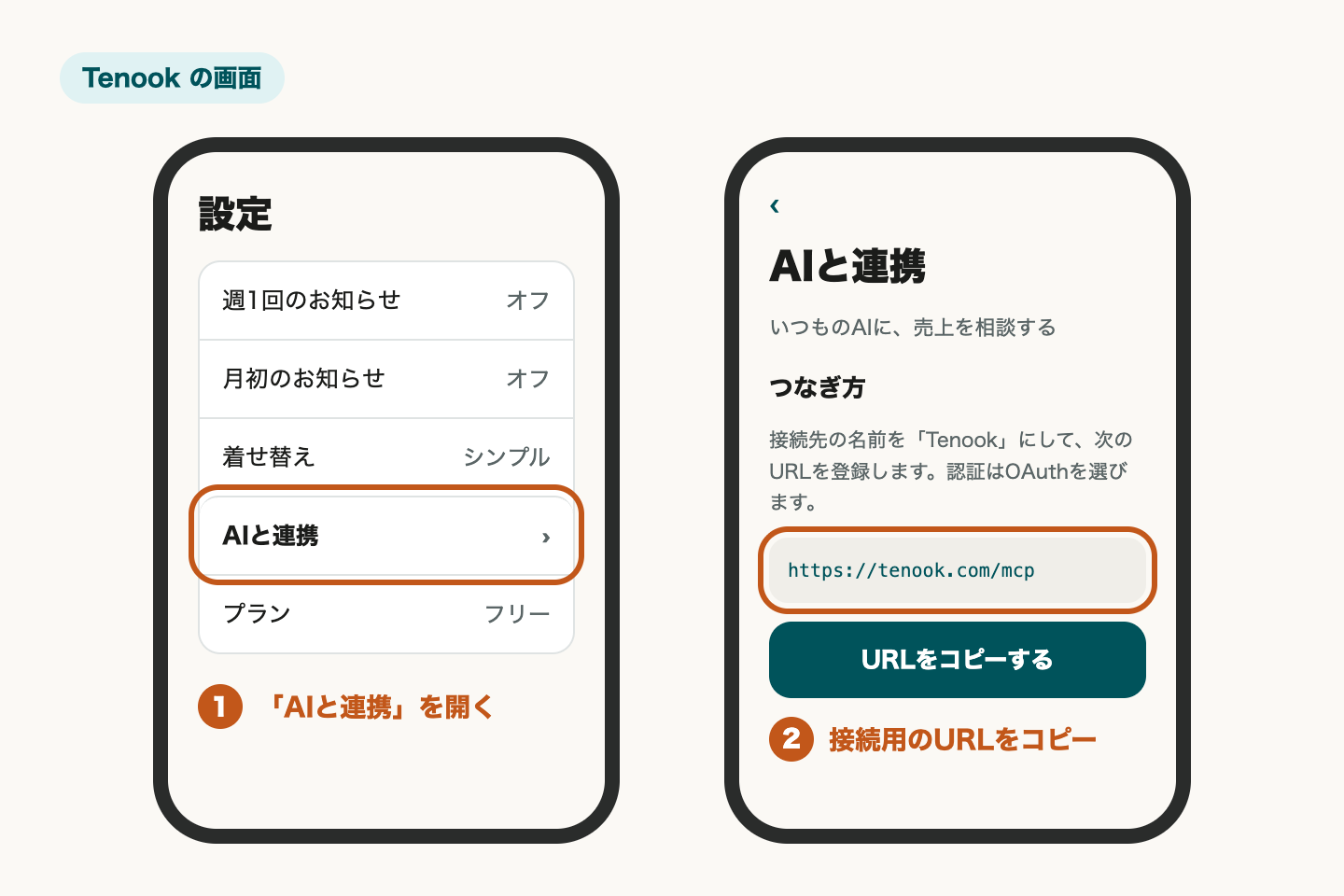
Copy the connection URL in Tenook
Open “Connect AI” in Settings and copy the URL shown.
2
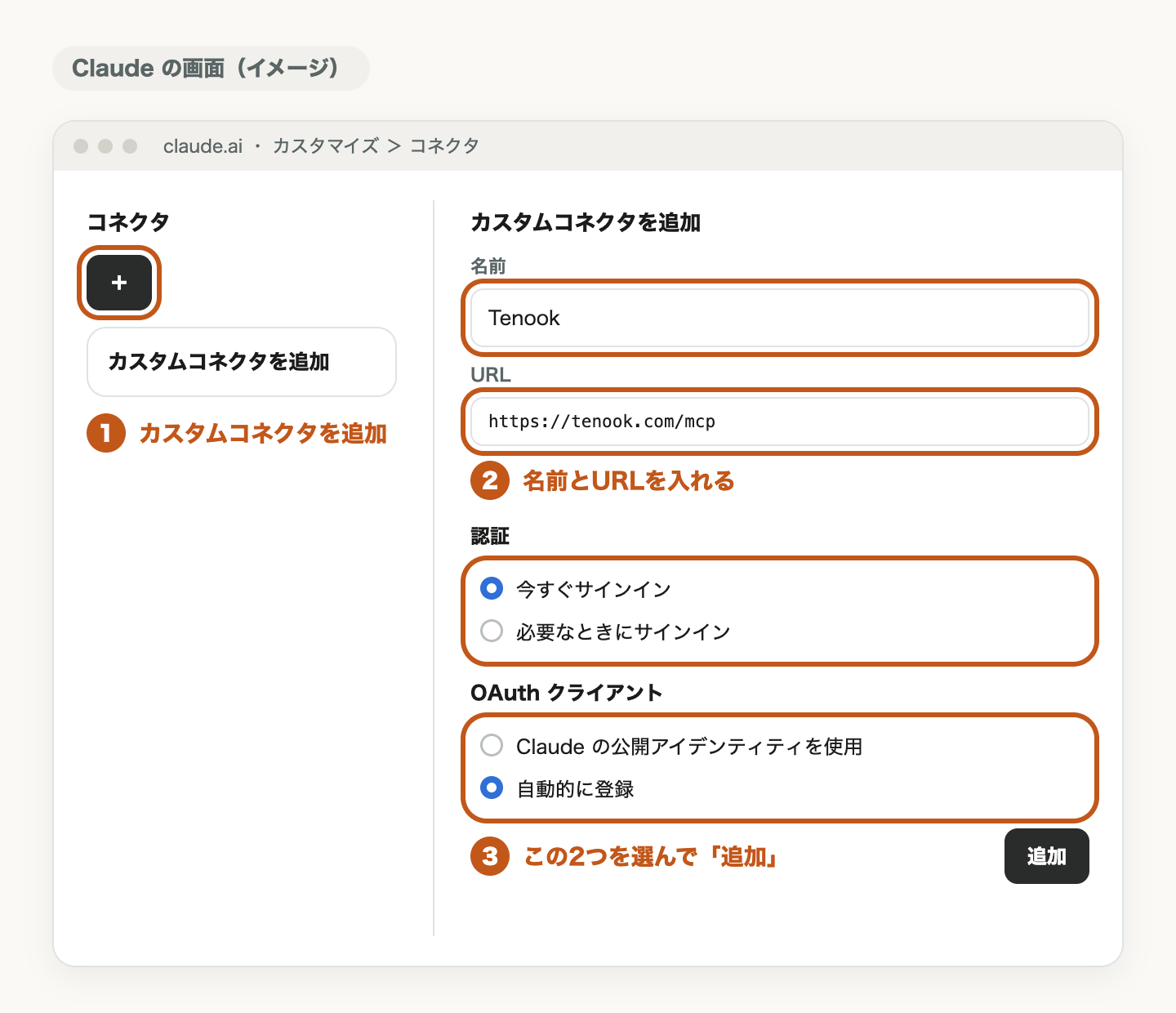
Register the URL in your AI
In Claude, add it under “Customize → Connectors.” In ChatGPT, add it in the desktop app under “Settings → Plugins → MCP.”
3
Allow access in Tenook
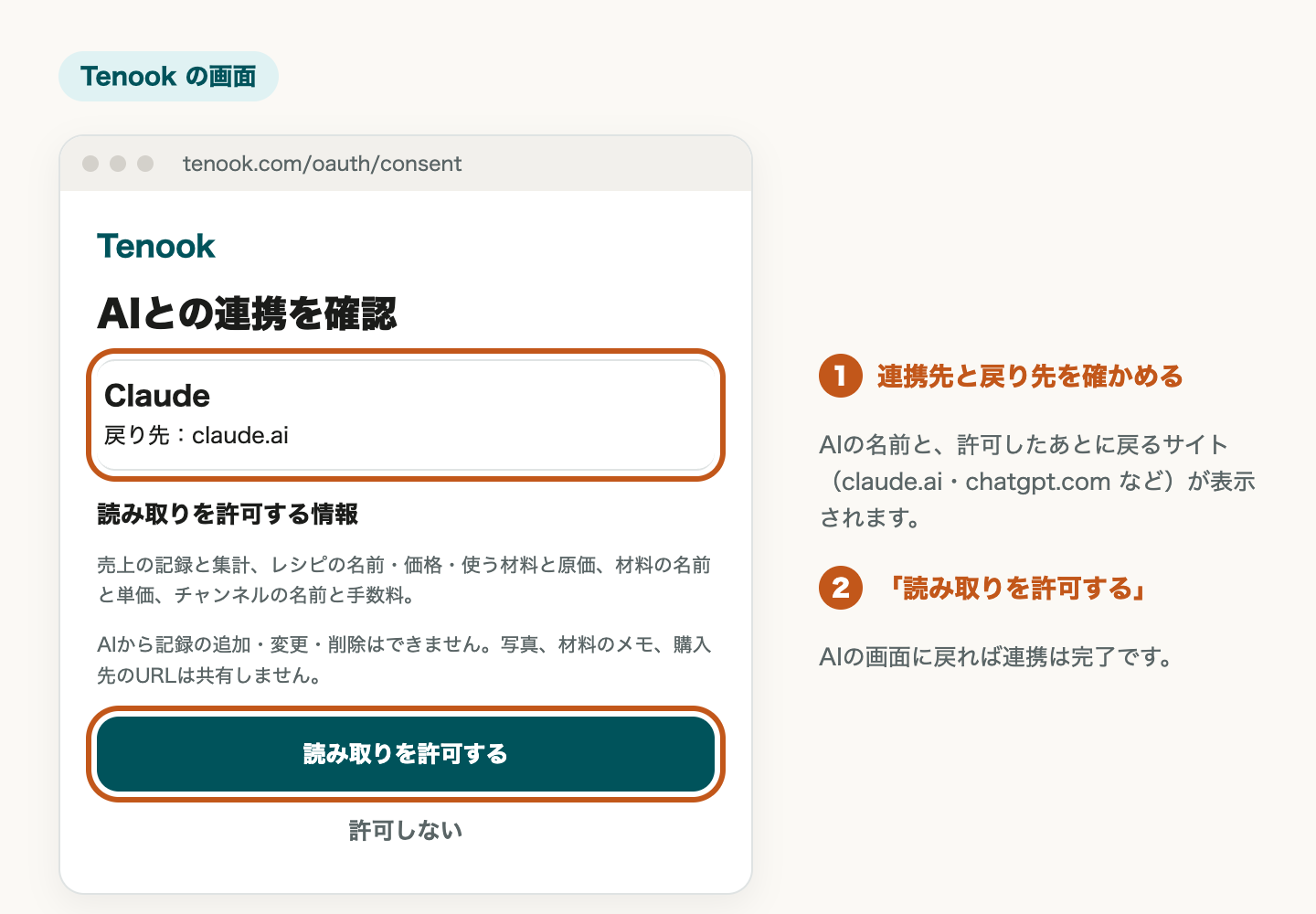
Sign in, check which app is connecting and where it returns to, then press [Allow read access].
Supported AI
ChatGPT or Claude.
Claude
From “Customize → Connectors” on claude.ai (in a computer’s browser). You can connect one even on the free plan.
ChatGPT
From “Settings → Plugins → MCP” in the ChatGPT desktop app.
What the AI can read
• Recorded sales and totals (selling price, cost, fees, and what you keep)
• Recipe names, prices, and the materials and amounts used
• Material names and unit prices
• Channel names and fees
What it can’t see or do
• Photos, material notes, and purchase URLs
• Adding, changing, or deleting records
FAQ
Answers to what you might be wondering.
Does connecting an AI cost anything?
There’s no extra charge in Tenook on any plan. Check ChatGPT and Claude for which of their plans and features you can use.
How is the data I share with the AI handled?
What the AI receives is the sales, recipes, material prices, and channel fees that Tenook totals up to answer your question. Photos, material notes, and purchase URLs aren’t shared. After that, how the data is handled follows the terms and settings of ChatGPT and Claude.
Can I connect from my phone?
You set up the connection on a computer (the browser for Claude, the desktop app for ChatGPT). You can also share the connection URL from Tenook on iPhone.
Can the AI change my records?
No. The AI can only read. It’s built so that it can’t add, change, or delete records.
How do I stop the connection?
In Tenook under Settings > Connect AI, press [Disconnect] for the app. Signing out of Tenook can also cut the connection to the AI.